Translate · Dictionary · PDF · Subtitles

Life easier, just by double click

Double-click any word or sentence and get an instant translation with word types and meanings, right where you are reading — news, research papers, PDF files and YouTube subtitles. No copy, no paste, no new tab.

  • Free, no account needed
  • Works on PDF & YouTube CC
  • Built-in dictionary
Double Click Translate - Chrome Extension | Product Hunt
The problem

Tired of copy-pasting into a translator?

Reading in a foreign language is slow when every unknown word costs you a context switch:

  • Select, copy, open a new tab, paste, read, come back.
  • PDF files and video subtitles are even harder to look up.
  • A bare translation doesn't tell you if the word is a noun or a verb.
How Double Click Translate helps

Translate without leaving the page

  • Instant translation on double-click
  • Word types and meanings from the dictionary
  • Translate text inside PDF files
  • Double-click YouTube subtitles (CC)
  • Supports most major languages
Explore the features
Inside Double Click Translate

Features

One small extension for web pages, PDF documents, video subtitles and vocabulary — without leaving what you are reading.

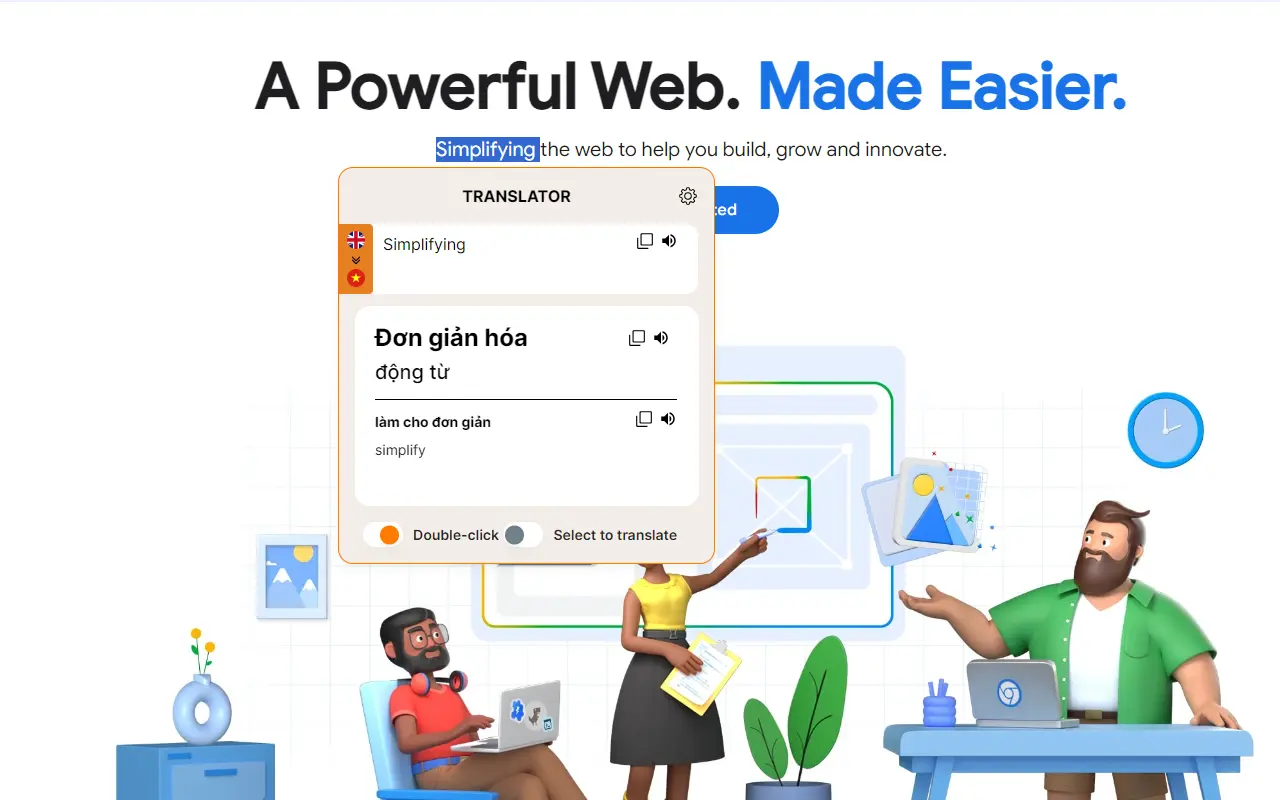
Double-click to translate - Instantly translate text on news websites and research documents with ease.
Feature

Double Click Translate

Introducing our innovative Chrome Extension that enhances your browsing experience with instant translations and grammatical insights. Simply double-click any text to see a small popup displaying translations and word classifications. This feature works seamlessly with dynamic content, including YouTube captions, EdX courses, and Yahoo News articles. Ideal for language learners and global professionals, it supports multiple languages and ensures comprehension without interrupting your browsing. Experience real-time translation of video subtitles and effortlessly access international content. Our extension is the ultimate tool for breaking down language barriers and enriching your online experience.
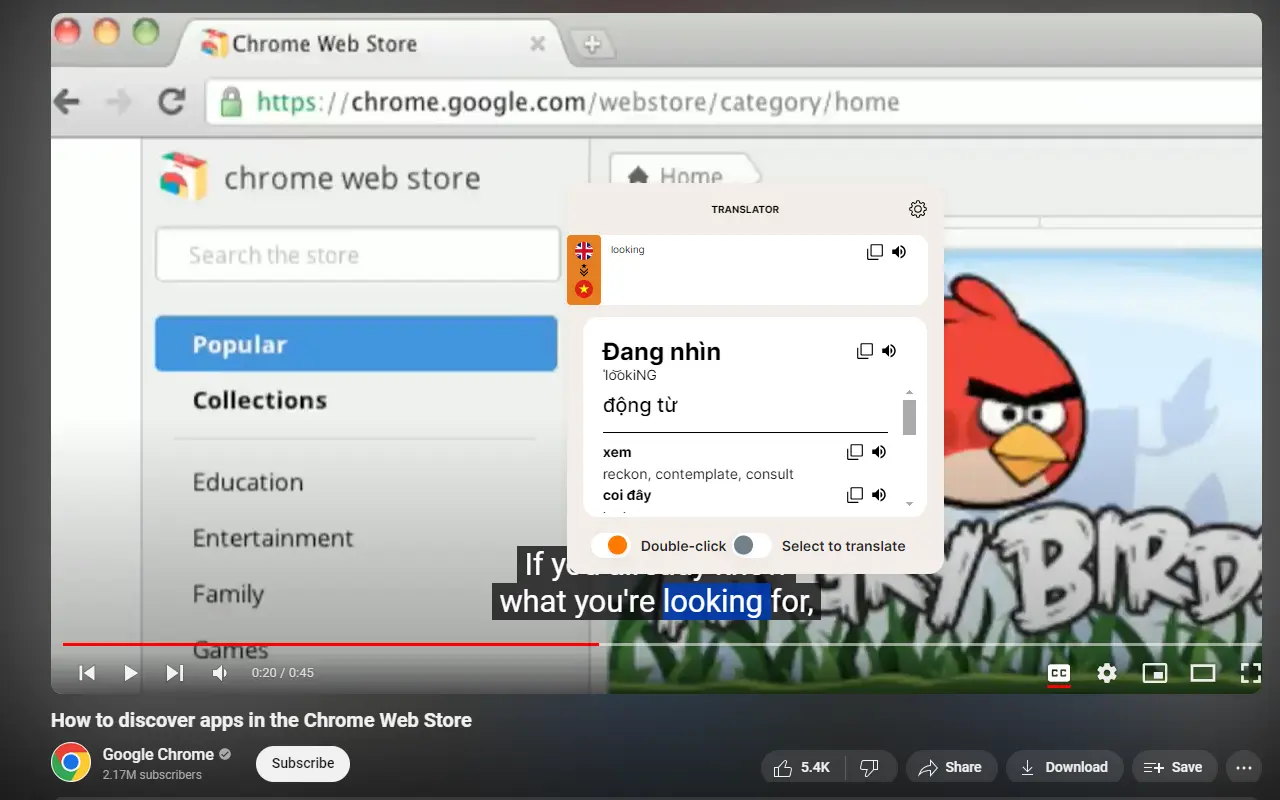
Translate video subtitles instantly - Double-click on YouTube CC or other platform captions for quick translations.
Feature

Video Subtitle (CC)

Our Chrome extension translates subtitles on video platforms like YouTube, EdX, Yahoo News, and more. This feature helps users understand video content in unfamiliar languages, making it accessible to everyone. It’s also perfect for those with basic language skills who want to expand their vocabulary quickly. By providing instant translations of subtitles, our extension enhances learning and comprehension, allowing users to grasp the author’s message effortlessly. Whether you're a language learner or just curious about foreign content, this tool will significantly improve your browsing and learning experience.

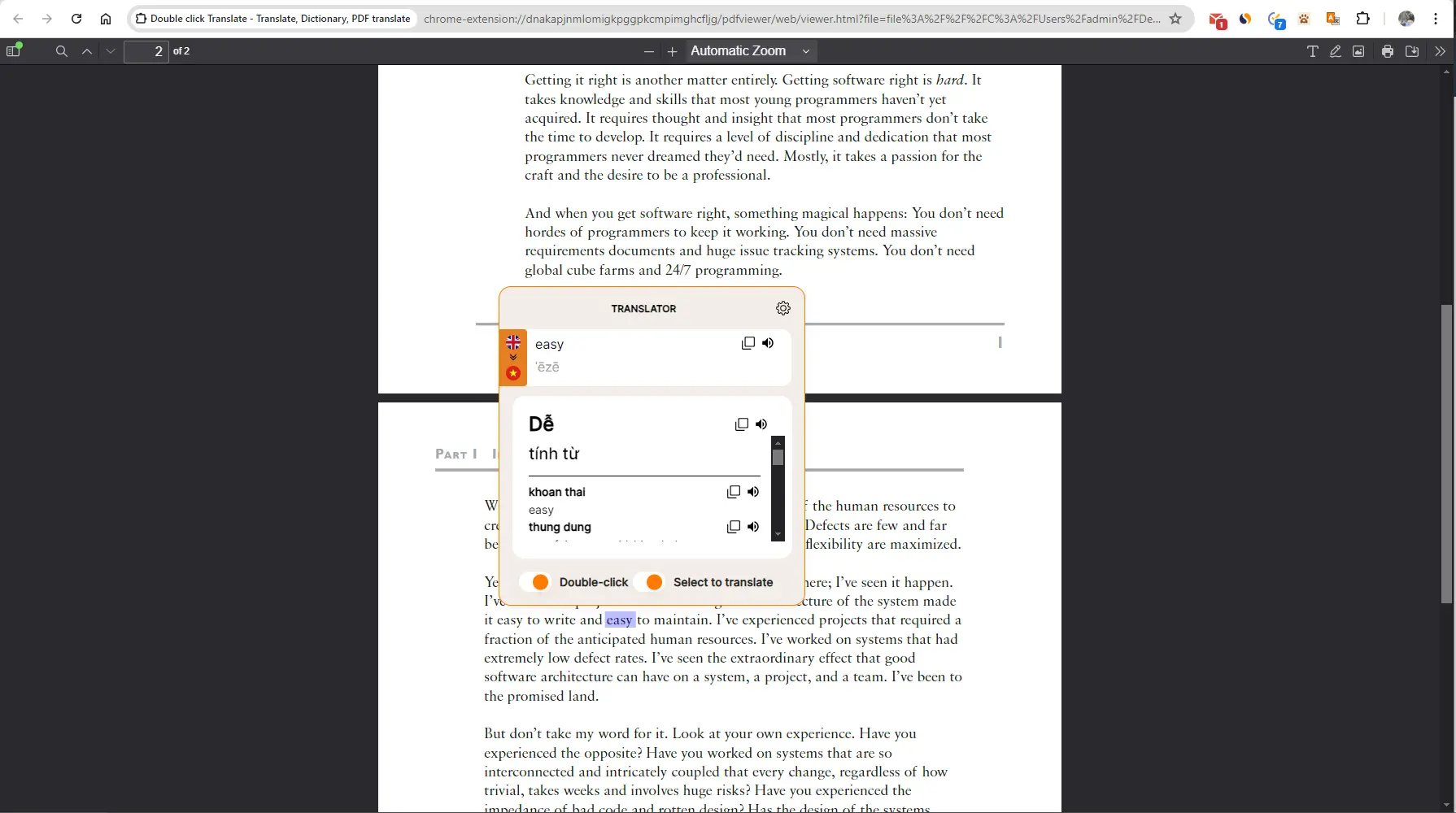
Translate text in PDF files instantly - Easily select and translate content without leaving the document.
Feature

PDF Reader

Our Chrome extension also includes a robust PDF viewer with translation capabilities, designed specifically for text-based PDF files. This feature is a lifesaver for those who frequently read English documents. It enables users to translate selected text within the PDF effortlessly, making foreign language materials more accessible and understandable. With this functionality, professionals and students can easily comprehend and engage with international documents, enhancing their productivity and learning experience. Our extension transforms the way you read and understand foreign-language PDFs, making it an indispensable tool for anyone working with multilingual documents.

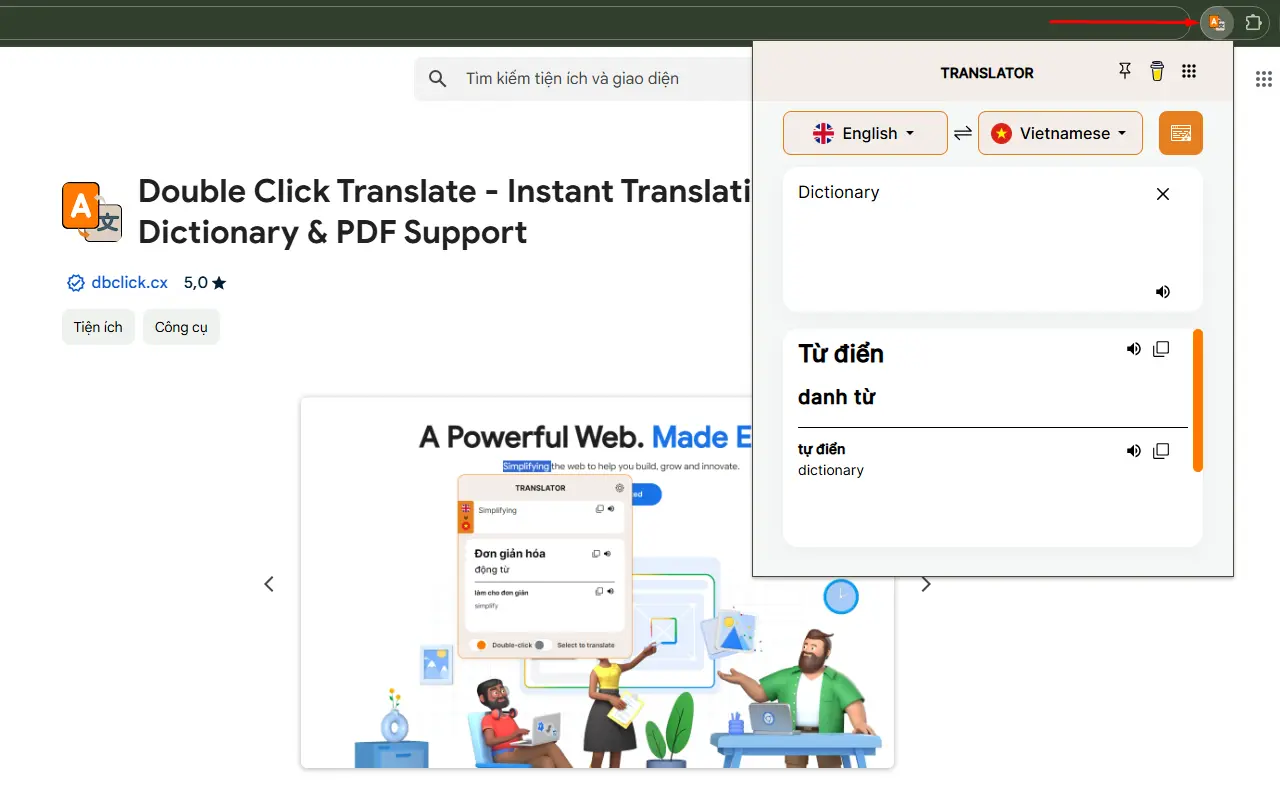
Instant online dictionary - Double-click any word to see its meaning, definitions, and word classifications.
Feature

Digital Dictionary

A key feature of our Chrome extension is the built-in dictionary. This allows users to look up vocabulary easily, just like using a traditional dictionary. It supports most major languages worldwide and clearly categorizes word types. With a simple double-click, users can access detailed definitions and grammatical information, enhancing their understanding and learning experience. Whether you need to translate a word or explore its usage, our dictionary feature provides quick and accurate results, making language learning more efficient and enjoyable.

Built in the open

About

Double Click Translate - Translate, Dictionary, PDF translate. Help you easy to read web content and pdf file

This extension built by Franky Giap.

My name is Dong, I'm come from VietNam - a country with countless delicious dishes.

I'm a Fullstack Software Engineer at Ha Noi

This extension built when i starting reading and watching more and more English articles and videos. I collect knowledge from post, news, video and more. So i need quickly translate word/sentence to Vietnamese to i know. Then i think it can help many people in the world and i was publish to Chrome Web Store

Free

Free to use — no account needed

Install it, double-click a word, done. No sign-up, no credit card, no setup wizard.

Add to Chrome — Free

Takes a few seconds to install.

Frequently Asked Questions

How can we help you?

Double Click Translate is a useful extension for those who need to read documents with limited foreign language skills. You can easily use this tool while reading news, looking up information, or even translating documents in PDF files.

Unlike Google Translate, our Chrome extension offers a seamless double-click translation experience with several advantages. It provides instant translations, detailed word classifications, and integrates directly with various platforms like YouTube subtitles (CC) and PDF files. No need to copy and paste - just double-click on any text, and the translation appears instantly. If you're looking for a fast, efficient, and versatile translation tool, this extension is the perfect alternative to Google Translate.

You can easily do this by opening the PDF file through the extension's dialog.

This feature is already built-in! While watching a video on YouTube, simply double-click on the subtitles (CC), and the extension will take care of the rest.
Have more questions?

Contact us at
giapdong.dev@gmail.com

Follow us